
There's a version of productivity that looks like this: seventeen browser tabs, a notes app you never quite trust, a calendar fighting with your to-do list, and a stylus that works on your tablet but also tempts you to check Instagram mid-thought. The reMarkable Paper Pure is a direct rebuke of all of that. It does one thing — writing — and according to The Verge's Andrew Liszewski, it does it better than anything else he's tested.
That's a meaningful claim. Let me explain why it holds up, and who should actually care.
The Writing Experience Is the Whole Point
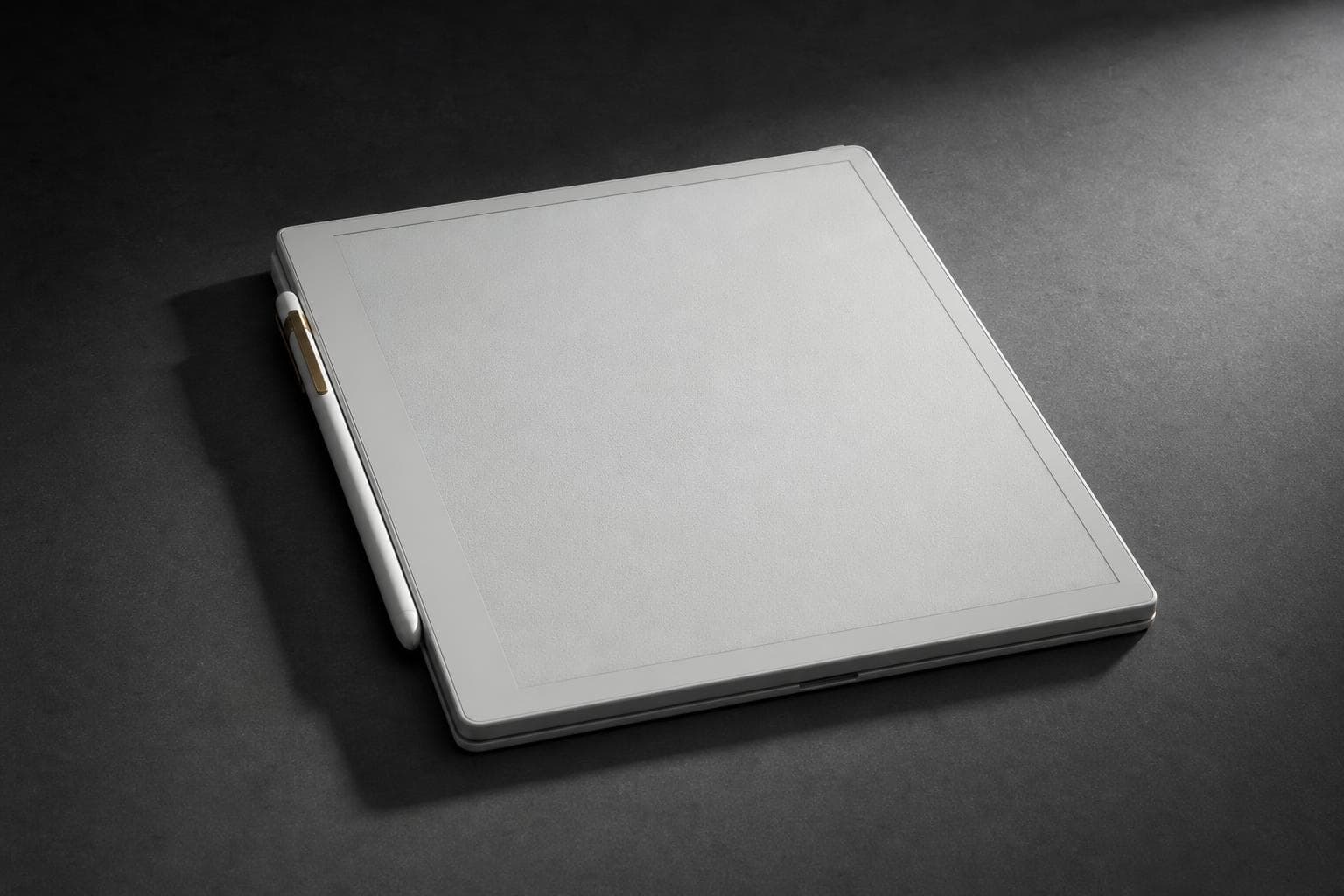
The Paper Pure is a follow-up to the reMarkable 2, which launched back in 2020. Like its predecessor, it uses a black-and-white E Ink screen with a textured surface finish — no backlight, no color, no glass smoothness. That last part matters more than it sounds. The texture is what makes the stylus feel like a pen dragging across paper rather than a finger sliding across a window. Liszewski, who has tested a lot of these devices, says the writing experience "remains unmatched."
The tradeoff is real: no backlight means you can't use it in the dark or in dim rooms without an external light source. That's a genuine limitation, not a minor footnote. But the design logic is sound. By stripping out the backlight, reMarkable keeps every stylus stroke feeling directly connected to the screen surface. The result is a device that disappears in your hand the way a good notebook does.
The included Marker stylus is battery-powered and charges wirelessly when attached to the tablet's side — a nice detail borrowed from the iPad Pro playbook. The premium Marker Plus adds a dedicated eraser button and is part of a $449 bundle that includes a folio case. Stylus latency is on par with the reMarkable 2, per The Verge — not as snappy as the Apple Pencil Pro, but the overall writing feel reportedly more than compensates.
The Upgrades Are Real, If Modest
Under the hood, the Paper Pure gets a dual-core processor, a bump from 1GB to 2GB of RAM, and storage that jumps from 8GB to 32GB. In practice, Liszewski found that large PDFs and ebooks opened roughly half a second faster than on the reMarkable 2, with smaller gains on native notebooks. That's not a dramatic leap — if you already own a reMarkable 2 in good condition, this isn't a "must upgrade immediately" situation.
What it is: a more polished, more capable version of an already strong device. The stylus attaches more securely. The UI navigation feels snappier. The storage increase is genuinely useful if you're loading up PDFs and annotating documents for work.
Who This Is For — and Who Should Skip It
The Paper Pure is for people who take notes by hand, annotate documents, sketch diagrams, or journal — and who want a dedicated device for that, not a Swiss Army knife. Students, lawyers, writers, architects, anyone who thinks better with a pen in hand. If you've been using a paper notebook and wondering whether digital can match it, this is the closest answer yet.
Who should skip it: anyone who wants a general-purpose tablet. The Paper Pure doesn't run apps, doesn't stream video, doesn't browse the web in any meaningful way. It is not an iPad competitor. It's not trying to be. If you want one device that does everything, this will frustrate you within a week.
It's also worth being honest about the price. At $449 for the full bundle with the Marker Plus and folio case, this isn't an impulse buy. The reMarkable 2 is still available and still excellent — if budget is a concern, the older model remains a strong option.
Not Ready for Primetime?
No — this one is ready. The single-purpose nature that might seem like a limitation is actually the feature. The Paper Pure doesn't ask you to resist distraction; it removes the option entirely. For focused writing and annotation, that's not a bug.
Verdict: Buy — if you're a dedicated note-taker or document annotator who wants the best pen-on-paper simulation available. Wait if you own a reMarkable 2 in good shape; the upgrade is real but not urgent. Skip if you need a general-purpose tablet.
What I'm Watching Next
LG's 2026 Gram laptop lineup landed this week starting at $1,150, per Engadget. Hands-on reviews should surface in the next week or two — I'll be watching whether the weight-to-performance tradeoff still holds up against the current MacBook Air.
Oura Ring hormonal health tracking — the Series 3 and 4 now offer more detailed insights into birth control side effects, according to Engadget. The privacy implications of that data deserve a closer look.
Microsoft's Xbox mode for Windows 11 is rolling out now. Whether it makes PC gaming genuinely easier for normal people — or just adds another layer of settings to ignore — is worth tracking as it reaches more users.